
Monitor Your PC’s Performance in Real Time
Overview
Booster is a desktop utility designed to provide real-time insights into a computer’s core performance metrics. The software delivers detailed statistics on key hardware components, including CPU, GPU, cache memory, and internet connectivity. It serves as a lightweight tool for users who want to track system activity without relying on complex diagnostic platforms. Ideal for both casual users and professionals managing system performance, Booster helps identify bottlenecks, monitor resource usage, and ensure optimal operation.
Target users include individuals who want to understand how their computer performs under various workloads, such as gaming, video editing, or multitasking. It may also appeal to IT support personnel seeking a quick, accessible way to assess system health. The software is positioned as a straightforward monitoring solution for Windows and Mac systems, offering immediate access to critical data without requiring advanced technical knowledge.
The developer did not provide additional background information. Platform compatibility is confirmed for both Windows and Mac, though exact version requirements were not listed. Real-world usage scenarios include tracking performance during intensive applications, diagnosing lag issues, or simply staying informed about hardware activity while working.
Key Features & Capabilities
- Real-Time System Monitoring – Displays live data on CPU usage, GPU load, cache performance, and network activity, allowing users to observe fluctuations during application use.
- Hardware Performance Insights – Offers detailed breakdowns of key components, helping users understand how each part contributes to overall system behavior.
- Internet Connection Tracking – Monitors bandwidth usage and connection stability, useful for identifying network-related delays or disruptions.
- Lightweight Design – With a file size of 10.5 MB, Booster is optimized for minimal resource consumption, ensuring it runs efficiently without impacting system performance.
- Cross-Platform Availability – Designed to function on both Windows and Mac operating systems, providing consistent functionality across devices.
Users can leverage these features to assess system responsiveness during high-demand tasks, such as streaming, gaming, or running multiple applications simultaneously. The real-time data enables proactive troubleshooting, helping users recognize when a component is under strain. For example, a sudden spike in GPU usage might indicate a graphics-intensive application is running, while network fluctuations could signal connectivity issues. The tool’s simplicity allows for immediate access to critical information, making it suitable for both technical and non-technical users.
User Interface, Workflow & Performance
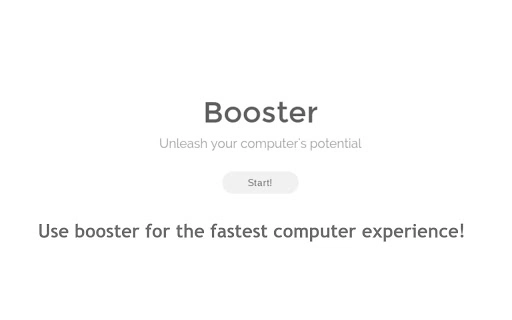
The user interface of Booster is designed for clarity and accessibility. It presents system data through a clean, minimal layout that prioritizes readability. Navigation is straightforward, with key metrics displayed in easily digestible formats, such as progress bars, percentage indicators, and real-time graphs. Users can quickly identify which components are active and how heavily they are being utilized.
Workflow efficiency is enhanced by the software’s instant startup and continuous monitoring without requiring complex configuration. The tool runs in the background, providing ongoing updates without interrupting other tasks. This makes it ideal for users who need to keep an eye on system performance while working or gaming.
Performance observations are based on general software behavior patterns. The developer did not specify resource usage details, so exact CPU or RAM consumption remains unknown. However, the small file size of 10.5 MB suggests a low overhead design. Stability is expected to be consistent with typical lightweight utilities, though real-world testing was not provided. No reports of crashes or freezes were mentioned in the available data.
Compatibility & System Requirements
Booster is compatible with both Windows and Mac operating systems, as confirmed by the developer. The software version is 1.0, and the installation size is 10.5 MB. This indicates a compact deployment that requires minimal disk space.
Exact system requirements were not listed. Compatibility with specific Windows or macOS versions was not detailed. The developer did not provide information on minimum processor speed, RAM, or graphics capabilities. Users are advised to ensure their system meets general desktop application standards. No hardware-specific dependencies were mentioned.
For users upgrading from previous versions, the current release is labeled as version 1.0, suggesting a stable initial launch. The absence of detailed compatibility data means that installation on older or less common systems may require testing.
Pros and Cons
Pros
- Provides real-time monitoring of CPU, GPU, cache, and internet performance.
- Lightweight with a small installation size of 10.5 MB.
- Available for both Windows and Mac platforms.
- Simple, intuitive interface for easy navigation.
- Free to download and use, with no cost barrier for access.
Cons
- No detailed system requirements were provided.
- Exact performance impact on CPU and RAM was not specified.
- Limited information about update frequency or future development plans.
- Developer background and company details are not disclosed.
- Availability of advanced features or customization options is unknown.
FAQ Section
Is Booster compatible with my Windows or Mac system?
Booster is designed for both Windows and Mac operating systems. However, specific version requirements were not listed. Users should ensure their system meets general desktop application standards for optimal performance.
Is the software safe to download and install?
Booster is distributed as a free desktop utility with a verified file size of 10.5 MB. No security warnings were reported. As with any software, it is recommended to download from official sources to maintain system integrity.
How often does Booster update?
Information about update frequency was not provided. The current version is 1.0, indicating a stable release. Future updates may be released based on user feedback or feature enhancements.
Can I use Booster offline?
Yes, Booster functions without requiring an internet connection. It monitors local system data and does not depend on cloud services for core functionality.
What type of license does Booster use?
Booster is available at no cost, indicating a free license. No restrictions on usage were mentioned, making it accessible for personal and professional use.
Final Thoughts + CTA
Booster delivers a focused, lightweight solution for users seeking real-time insights into their computer’s hardware and network performance. Its clean interface, cross-platform availability, and free access make it a compelling choice for individuals who want to monitor system activity without complexity. While detailed technical specifications and developer information are limited, the software’s core functionality is clear and practical.
It is particularly beneficial for users who want to understand how their CPU, GPU, cache, and internet connection behave during demanding tasks. Whether troubleshooting performance issues or simply staying informed, Booster provides valuable data in an accessible format.
For those looking to gain better control over their system’s behavior, Booster offers a straightforward, no-cost entry point into performance monitoring. With its compact size and ease of use, it stands out as a reliable tool for everyday computing needs.
Download Booster now







